Connectors
How third-party integrations work, and what is wired up today.
What a connector is
A connector is a typed wrapper around a third-party API. Instead of the agent freelancing raw HTTP calls with your tokens, every integration goes through a small, audited interface that:
- Holds your credentials in a separate, scoped secret store.
- Validates inputs and outputs against schemas.
- Surfaces an approval card the first time a new surface (chat, Console, public site) tries to use it.
- Logs every call.
This means a Console page calling Slack is a different, separately approved thing than the chat agent calling Slack, even though the underlying token can be shared.
What is available today
Grouped by what people usually build with each.
SEO and content (Ahrefs)
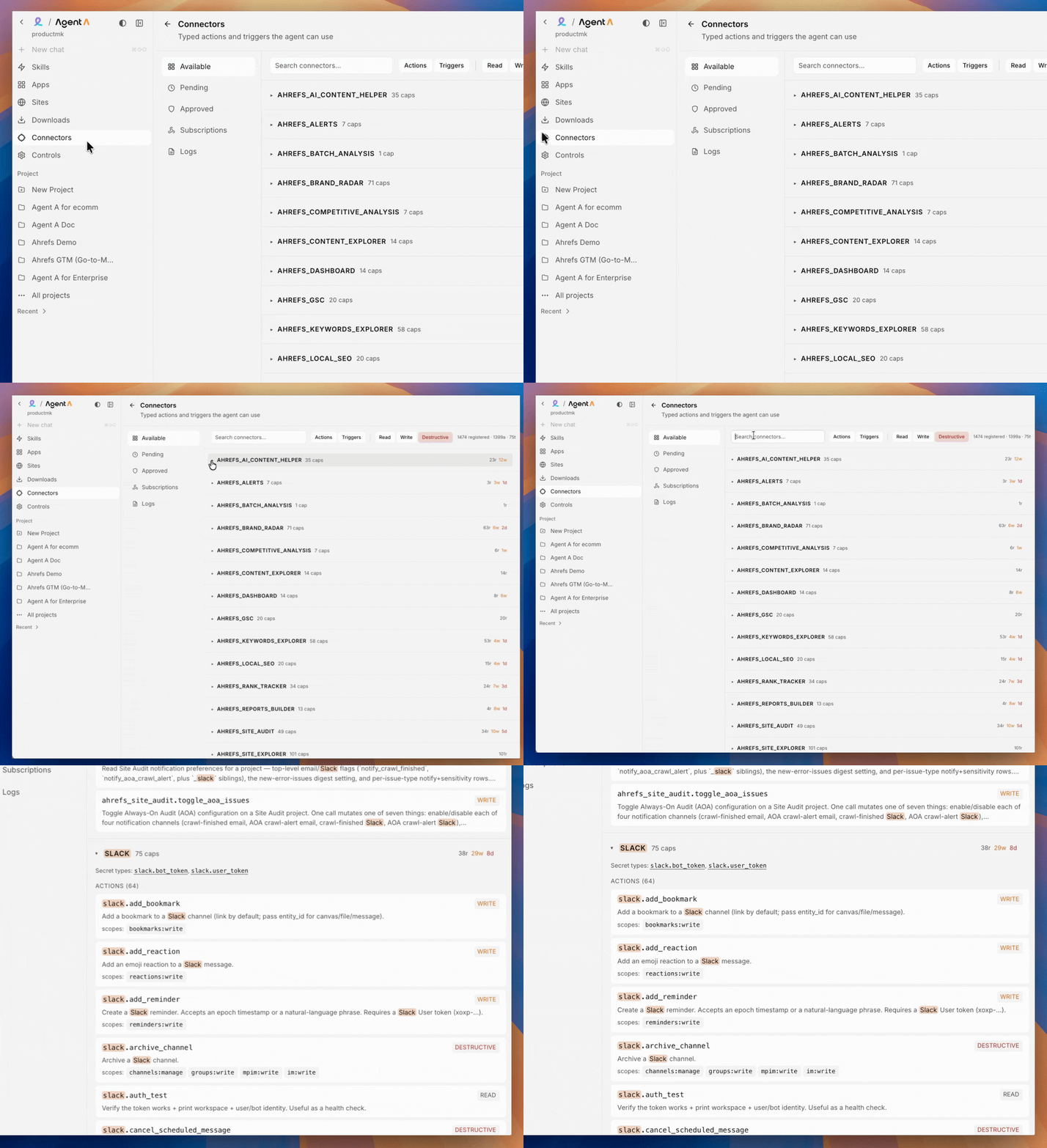
Site Explorer, Keywords Explorer, Content Explorer, Rank Tracker, Site Audit, Brand Radar, GSC integration, Web Analytics, Competitive Analysis, Local SEO, Reports Builder, Alerts, Batch Analysis, AI Content Helper, Social Media Management, Dashboard. The full Ahrefs suite is wired in.
Typical asks: - "Pull the top 50 organic keywords for competitor.com and group them by parent topic." - "Set up a daily Brand Radar check for our 10 priority prompts and Slack me on changes."
Communication and ops
- Slack. Messages, DMs, channel reads, reactions, file uploads. Two tokens (bot, user) so the agent can post as a bot or as you depending on the use case.
- Notion. Pages, databases, search, comment threads.
- Linear. Issues, projects, comments, triggers on state changes.
- GitHub. Repos, PRs, issues, releases, webhook triggers.
CRM and revenue
- HubSpot. Contacts, companies, deals, tickets, lists, workflows, properties.
- Stripe. Customers, subscriptions, invoices, charges, events.
- Gong. Calls, transcripts, snippets, scorecards.
- Fathom. Meeting recordings, summaries, action items.
Marketing and email
- Mailchimp. Campaigns, lists, segments, automations, reports.
- Resend. Transactional sends, templates, audiences.
- Airtable. Bases, tables, records, schemas.
Web and data
- WordPress. Posts, pages, media, taxonomies (read and write).
- Apify. Run any of their scrapers as a building block.
- Firehose. Internal event stream.
How to add a new connector to your workspace
If you ask for something that is not in the list, the path is:
- The agent checks if there is an existing connector that fits.
- If not, request the new connector by getting in touch with our support team. All new connectors are reviewed and approved before they are added to Letaido, so new integrations land on a vetted path rather than as raw HTTP wrappers.
- While you wait, the agent can usually fall back to a generic API key plus an outbound domain allowlist for read-only work, but a proper connector is always preferred (it ships typed inputs, logging, scoped credentials, and per-surface approval out of the box).
You can also ask "is X available as a connector?" and it will check before scoping work.
Approvals: a note for owners and admins
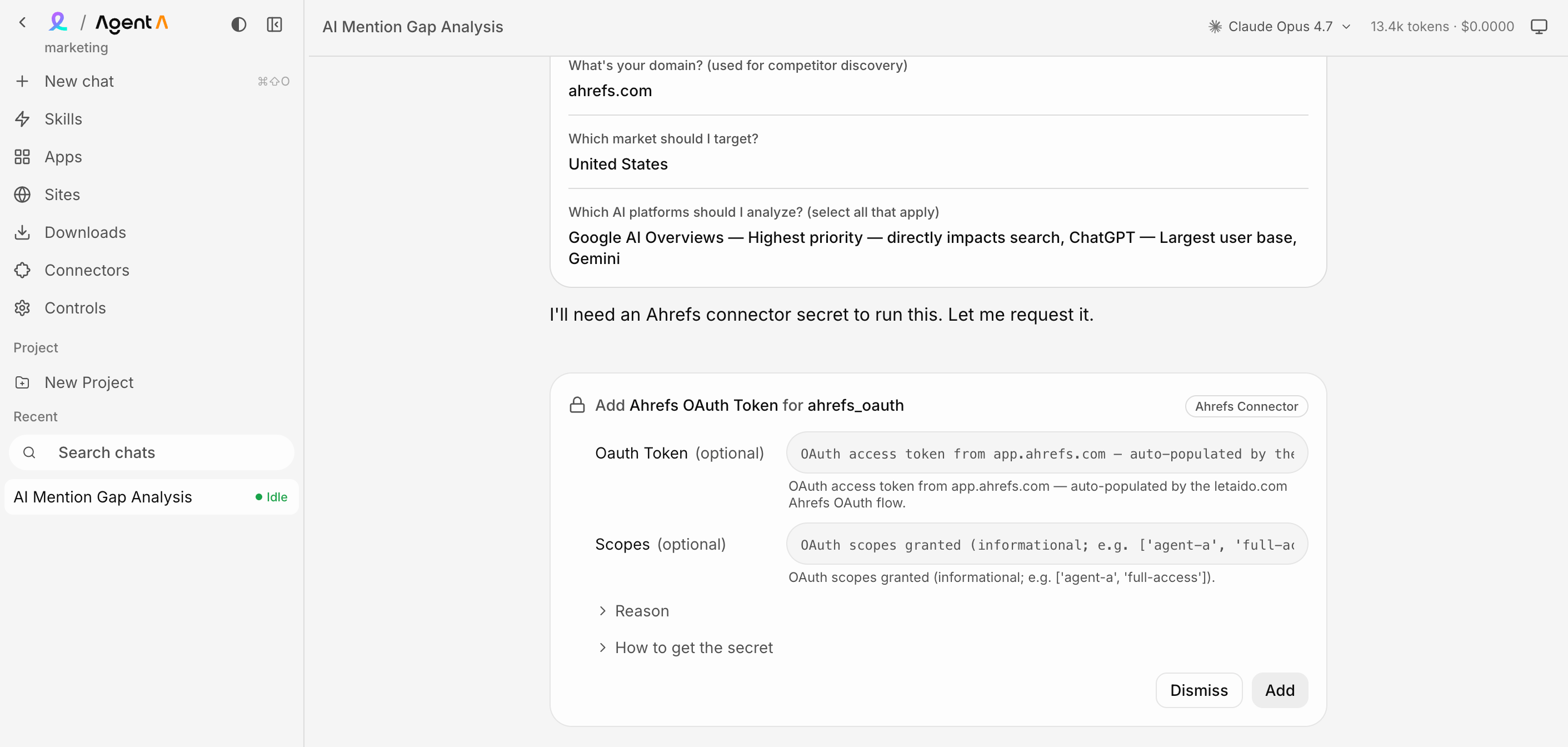
You will see approval cards for:
- Adding a new credential (a Slack workspace, a HubSpot portal, an Ahrefs account).
- Granting that credential to a new surface (chat agent, Console page, public site).
- Allowing outbound HTTPS to a new domain.
- Installing a new Python package.
- Scheduling a recurring job.
The pattern is always: tool surfaces a card, you click once, the agent retries. Cards do not auto-expire, so you can take a day to review without the agent stalling.
Under the hood. Connectors are versioned and have explicit scope lists. When the agent asks for a Slack token, it requests every scope it might need across all currently planned uses, so you do not get drip-fed approval cards. The token lives in a typed secret store that the agent can name but not read directly.